Stop Fighting Excel,
Start Closing Books.

The purpose-built investment accounting system Canada’s CPAs have trusted for 27 years.

27

Year In Market

200+

Organizations

$100B+

Assets Tracked

1,800+

Professionals

Three Ways to Do Investment Accounting.
Only One Was Built for It.

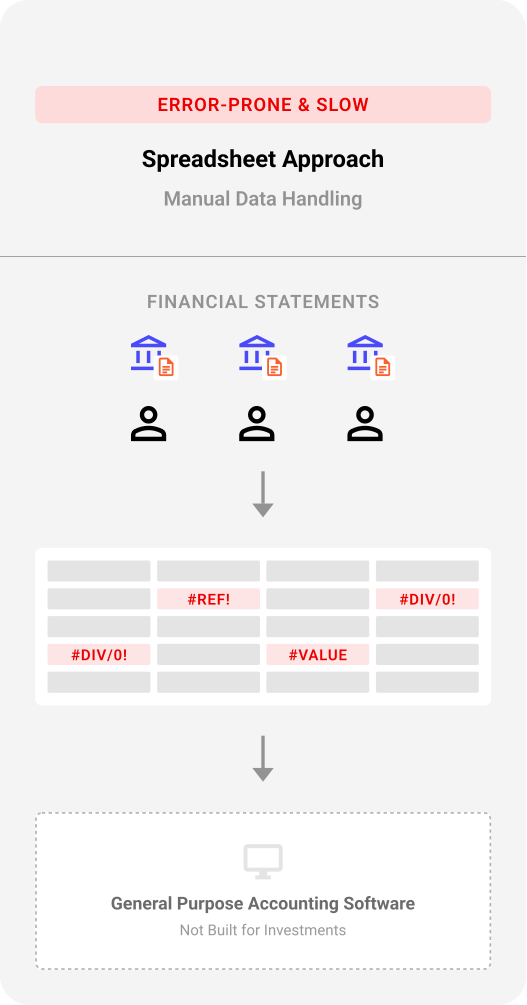
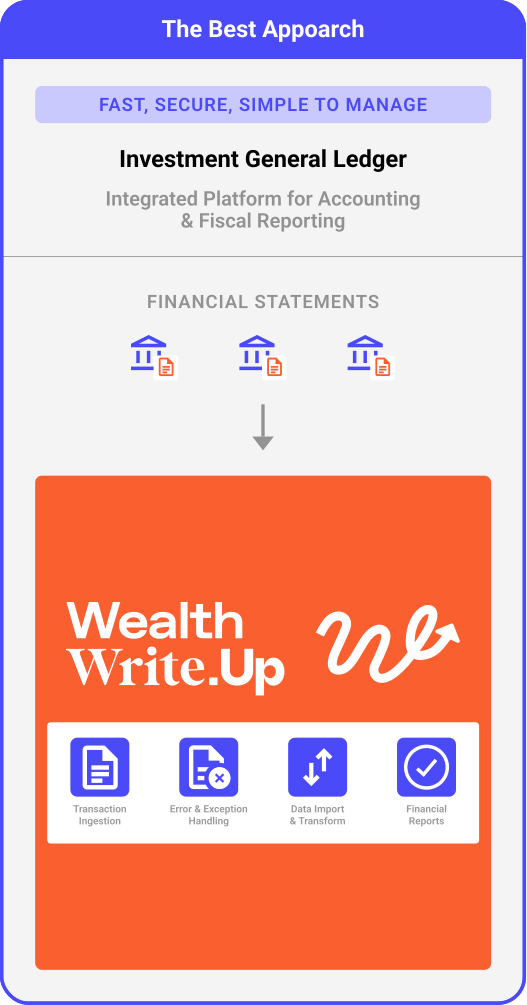
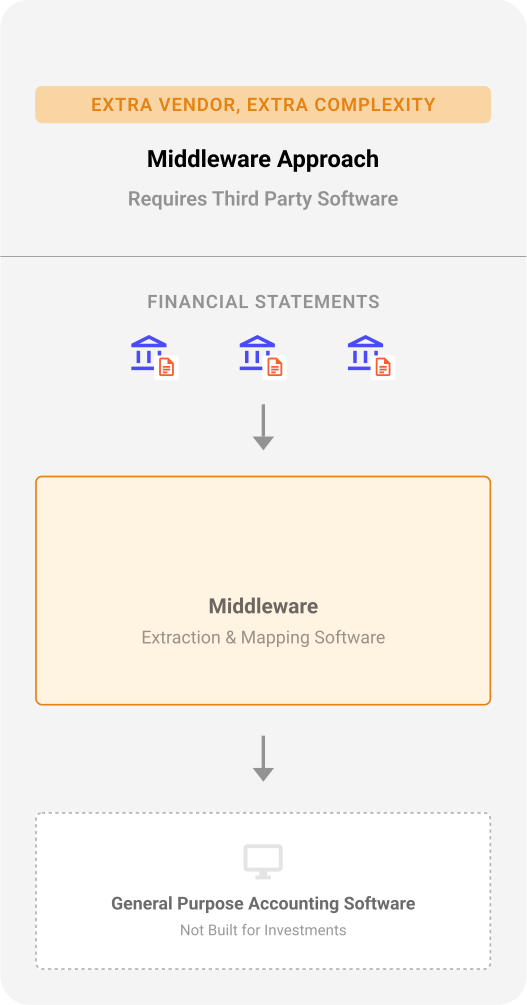
Most organizations manage investment portfolios with tools that weren’t designed for it. Here’s how the approaches compare – and why it matters at tax time.

chart 1
chart 2
chart 3

How Do They Stack Up?

When your portfolio includes corporate actions, multiple custodians, and Canadian tax obligations — the details matter.

Spreadsheet Approach
Middleware Approach
Wealth Write.Up
Transaction Coverage

Custom formulas for every corporate action. Breaks when it gets complex.

Handles standard trades. Complex transactions need manual fixes or complex mapping rules.

41 transaction types built in. Validated automatically.

General Ledger

Excel and QuickBooks live in separate worlds. Never fully reconciled.

One-way data push into the GL. No link back to investment detail.

True GL + subledger in one platform. Auto-posts with drill-through.

Tax & Audit
Reporting

Hand-built reports. ACB in formulas. Audit prep takes weeks.

Basic trade summaries. Detailed tax reporting still manual.

30+ tax-ready reports in minutes. One-click Taxprep export.

See The Full Comparison

50%+ less time. Zero spreadsheet risk.
Audit-ready from day one.

200+ organizations across Canada have made the switch. Their auditors noticed.

Watch A 2-Minute Overview

Who We Serve

Investment Accounting For Professional Services Firms

Broker statements don’t match. Holdings are scattered across custodians. Corporate actions get missed. Tax season means weeks of reconciliation.

Wealth Write.Up consolidates it all. One platform, every custodian, every transaction type, every report the CRA needs – generated in minutes, not weeks.

Learn More
photo-1 (1)

Accounting Software For Family Offices

Multiple entities. Multiple custodians. Multiple currencies. Options, alternatives, private holdings, public securities – all in different accounts, all needing consolidated reporting.

Wealth Write.Up brings it all together. One platform, complete visibility, audit-ready reports on demand.

Learn More
Rectangle 112

Investment Accounting for Corporate Treasury

The specialized subledger for complex securities portfolios your ERP wasn’t built to handle.

SAP can run your supply chain. Oracle can manage your financials. But when your treasury team needs to track investment portfolios across multiple custodians, calculate ACB on corporate actions, and generate T1135 reports — your ERP struggles.

Learn More
Mask group

Holding Companies & Investment Firms

Your investments are your business. When BCE spins off a subsidiary or Enbridge issues a return of capital, you need accounting software that knows what to do.

Wealth Write.Up handles the corporate actions that break Excel and confuse generic accounting software. Automatic ACB allocation. Automatic tax reporting. Automatic sanity.

Learn More
photo-1 (3)

3 Reasons Why to Invest
In Wealth Write.Up

Rectangle 348 Group 129

Cut Bookkeeping Time 50%+
Stop wrestling with Excel. Enter transactions once, get reports instantly.

Rectangle 349 Group 130

Close Books In Hours, Not Weeks
30+ reports ready at year-end. T1135, capital gains, trust distributions – all audit-ready.

Rectangle 350 Group 131

True Investment Subledger
Links to your GL automatically. Feeds your ERP and systems like Caseware and Taxprep. Purpose-built for securities your accounting software or transaction scrapers can’t handle.
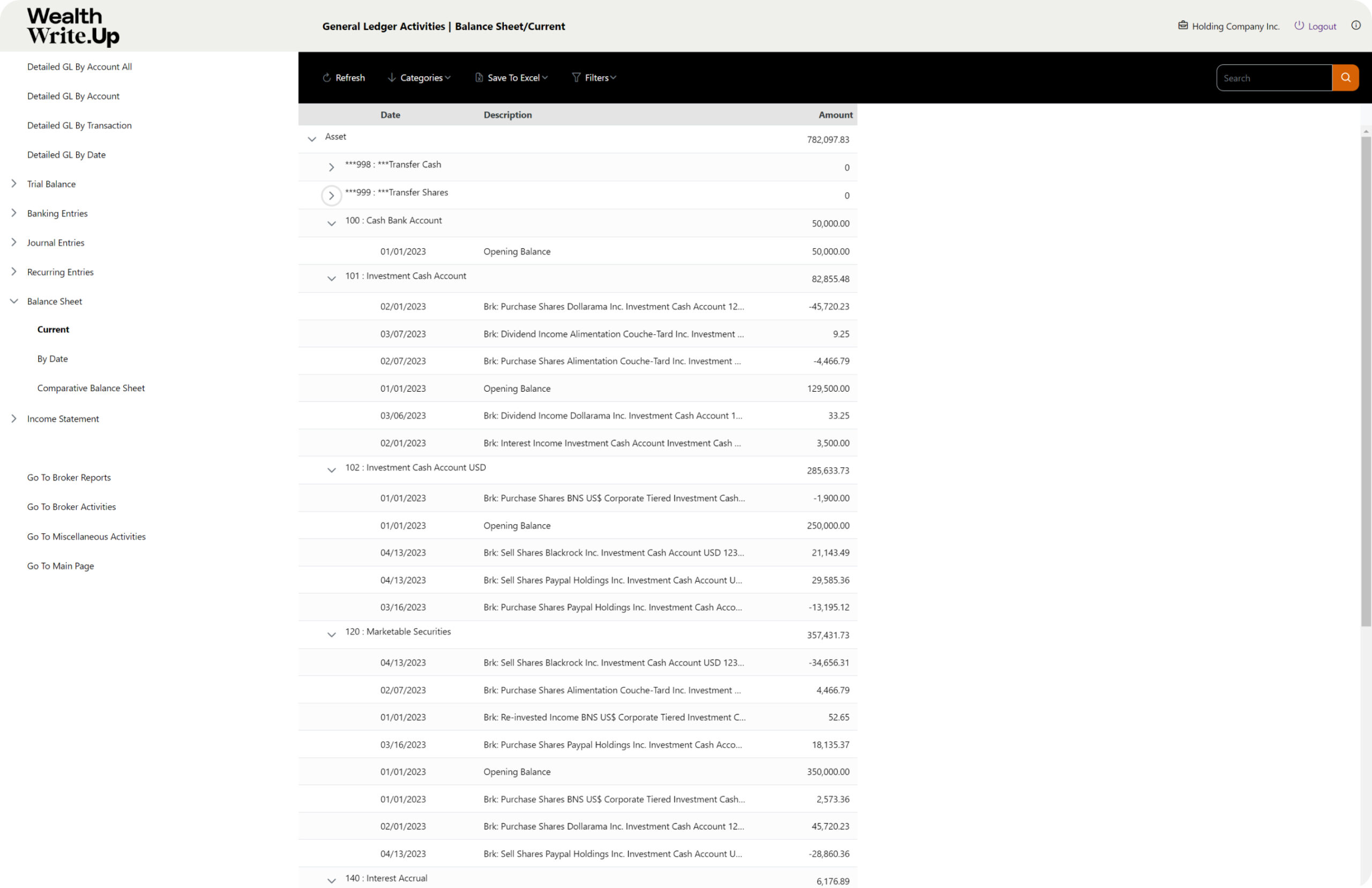
Explore Wealth Write.Up

1

Navigation Panel
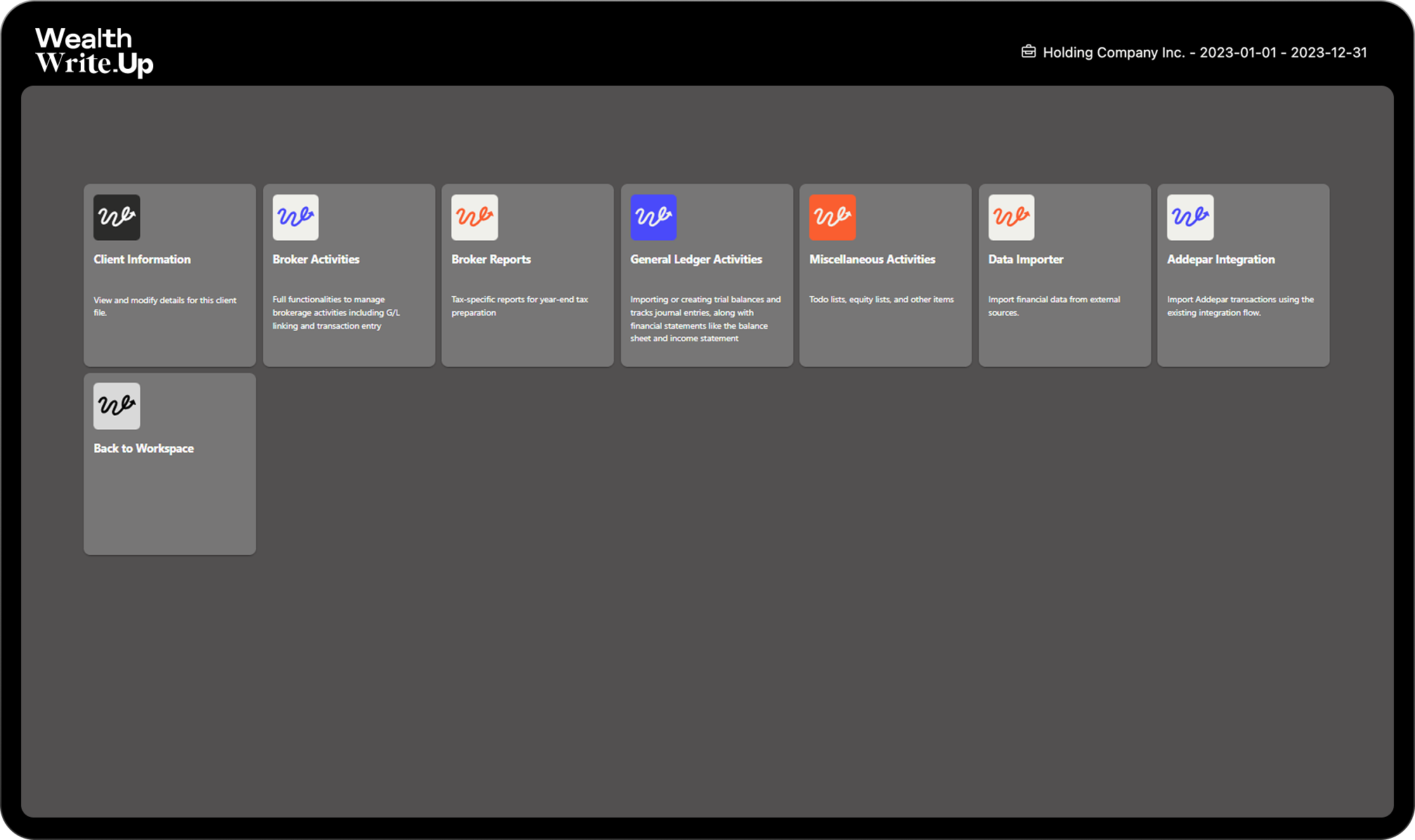
Easily navigate through detailed general ledger views, trial balance, banking entries, journal entries, and more from the side menu.

2

Account Overview
Quickly access and review opening balances and detailed transaction histories for each account.

3

Transaction Details
View comprehensive transaction details, including dates, descriptions, and amounts, to ensure accurate financial tracking.

4

Quick Access Links
Jump directly to broker reports, activities, miscellaneous entries, or return to the main page with these convenient quick access links.

1 Navigation Panel

Easily navigate through detailed general ledger views, trial balance, banking entries, journal entries, and more from the side menu.

2 Account Overview

Quickly access and review opening balances and detailed transaction histories for each account.

3 Transaction Details

View comprehensive transaction details, including dates, descriptions, and amounts, to ensure accurate financial tracking.

4 Quick Access Links

Jump directly to broker reports, activities, miscellaneous entries, or return to the main page with these convenient quick access links.

What Our Clients Are Saying

“I love the program and I’m excited that it’s moving to the cloud, as I have been concerned about my data security having the program locally installed on just my computer. Looking forward to checking out the new features!”

Leanne Brown, BA, BBA, Bluewater Health

Our customers have been asking and we have listened… “Easy integration, connectivity to Microsoft Office is key so that reporting can be more flexible.”

E. Peter McKinney, CPA, LMMC Inc.

“It’s a great product. I’ve been using it since 2006”

Anonymous CPA, CA

“Still the best product in its category!”

Anne de Warnaffe

“Looking forward to a faster data entry and importing of information”

Partner at a Vancouver firm

Learn More About Wealth Write.Up

Schedule a Demo